
Resources
Setting up Blackboard
Learn how to set up your Blackboard account and reset your password if needed.
Getting Started
Follow these steps to set up your Blackboard account and reset your password.
Visit the Blackboard Login
Go to ArkansasBaptist.edu and click Blackboard.

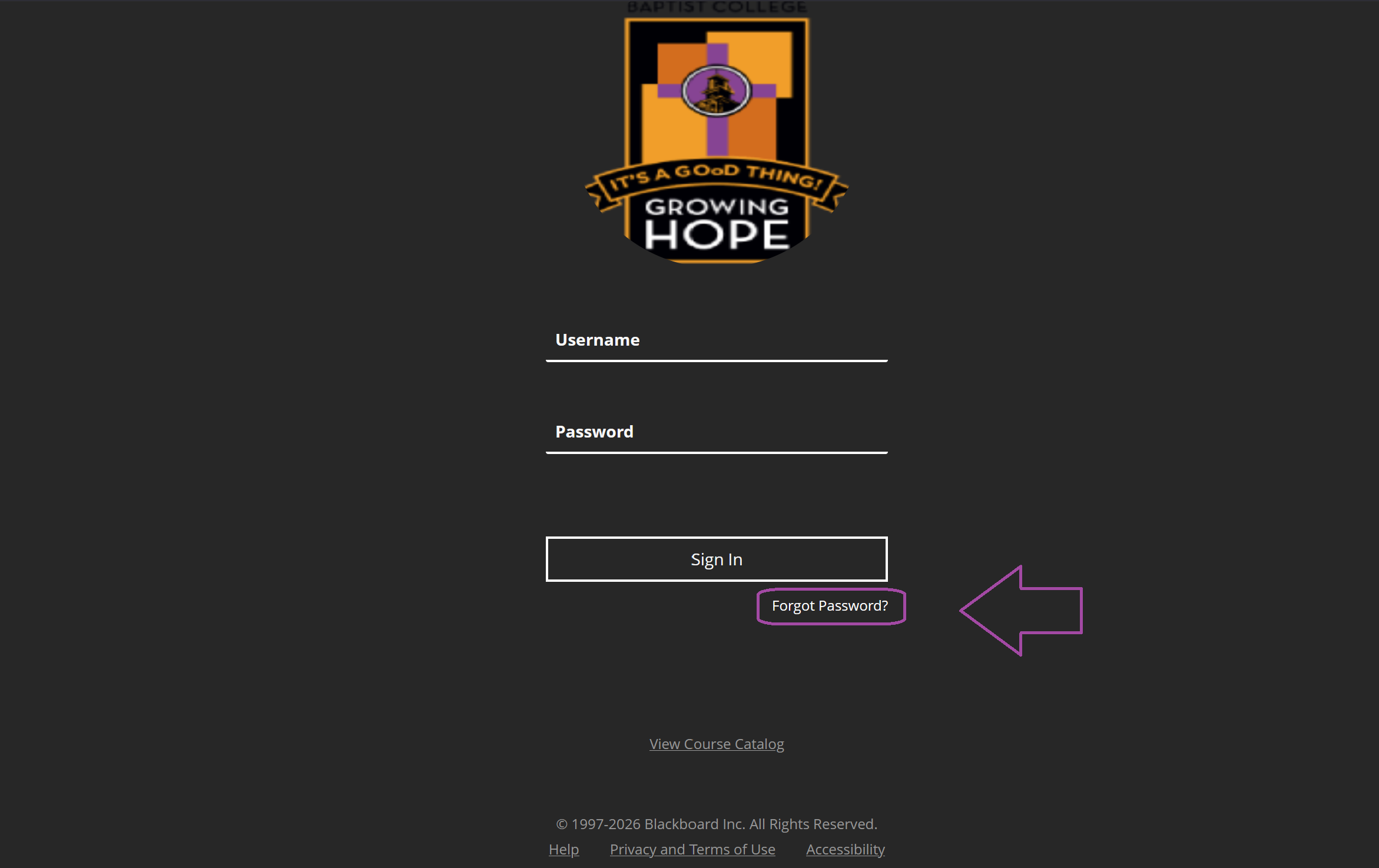
Select Forgot Password
On the Blackboard login page, select Forgot Password.
Enter Your Information
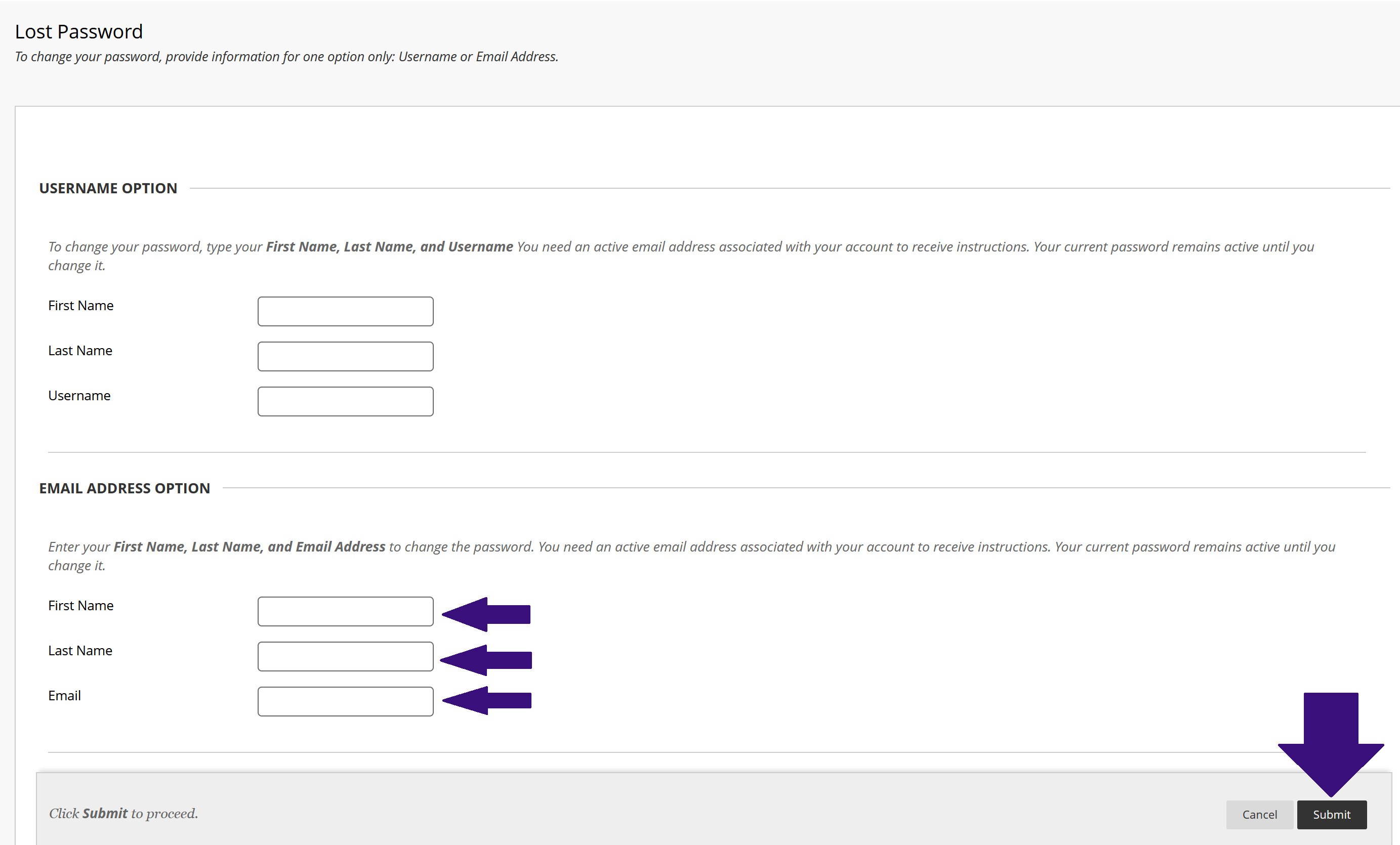
On the password reset page, scroll to the bottom and enter your first name, last name, and school email address. Then click Submit.
Verify Your Information
If you are unable to proceed, you may need to contact the Admissions Office to verify that your name is spelled correctly in the system.
Check Your Email
A password reset email will be sent to your school email address. Follow the instructions in the email to create a new password.
Sign In
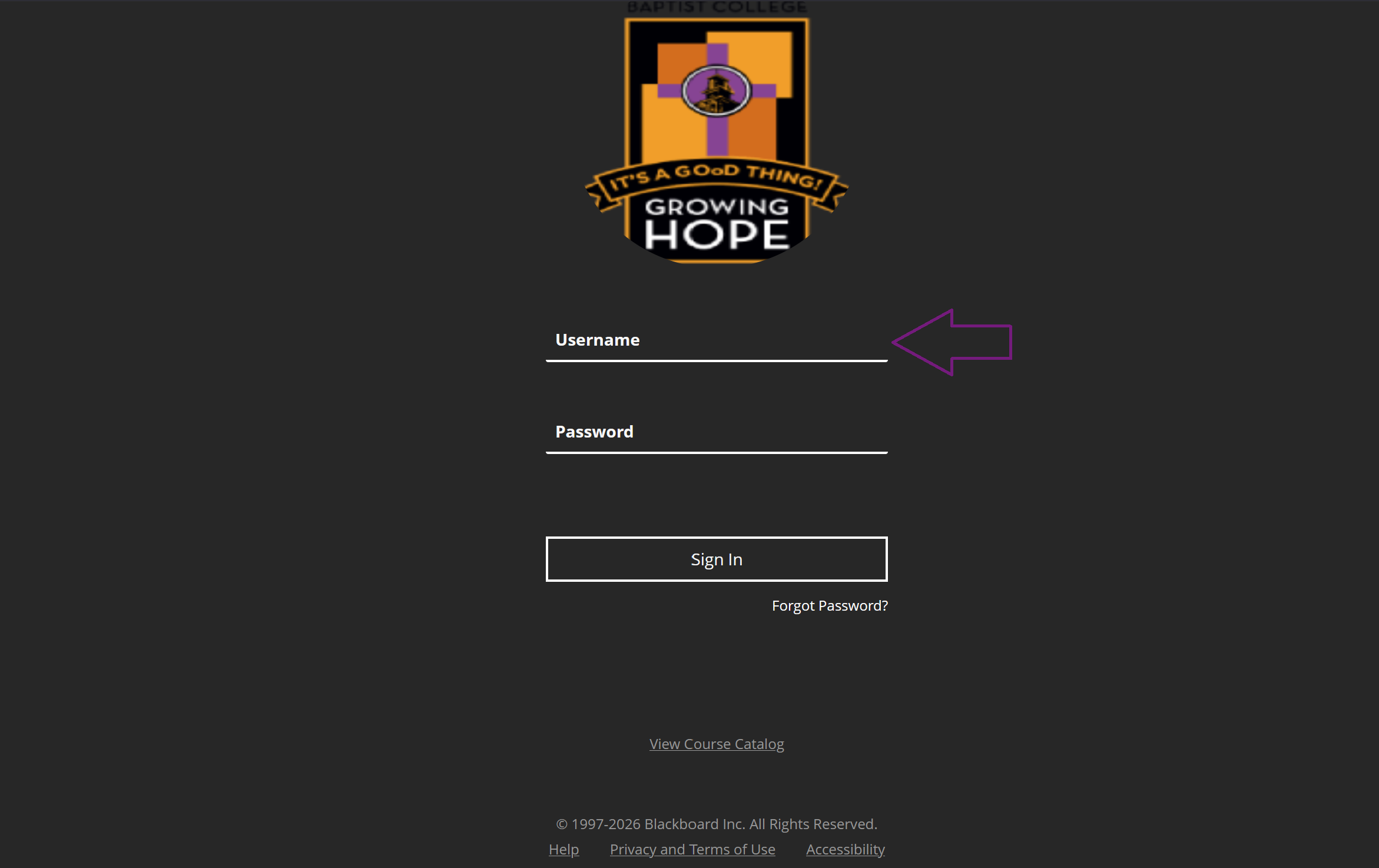
Once your password has been reset, return to the Blackboard login page and sign in using your Student ID and your newly created password.
Need to Reset Your Email Password?
If you also need to reset your school email password, we have a separate guide available.
Reset Email PasswordStill Having Trouble?
If you've followed these steps and are still unable to access Blackboard, please reach out to the myABC IT Support Portal for further assistance.
Submit a Help RequestBack to myABC IT Self Service
Return to the main IT self-service page to access other services and resources.